
Linux
Margin on Linux is a small background program (a systemd user service) plus a settings page in your browser. It works on Wayland and X11 alike, because it reads the touchpad and sends keys at the kernel level instead of talking to a display server.
v0.4.0 is the first Linux release. It is tested end to end with a virtual touchpad and in CI, but not yet across many real laptops and desktops, so bug reports are welcome.
#Commands
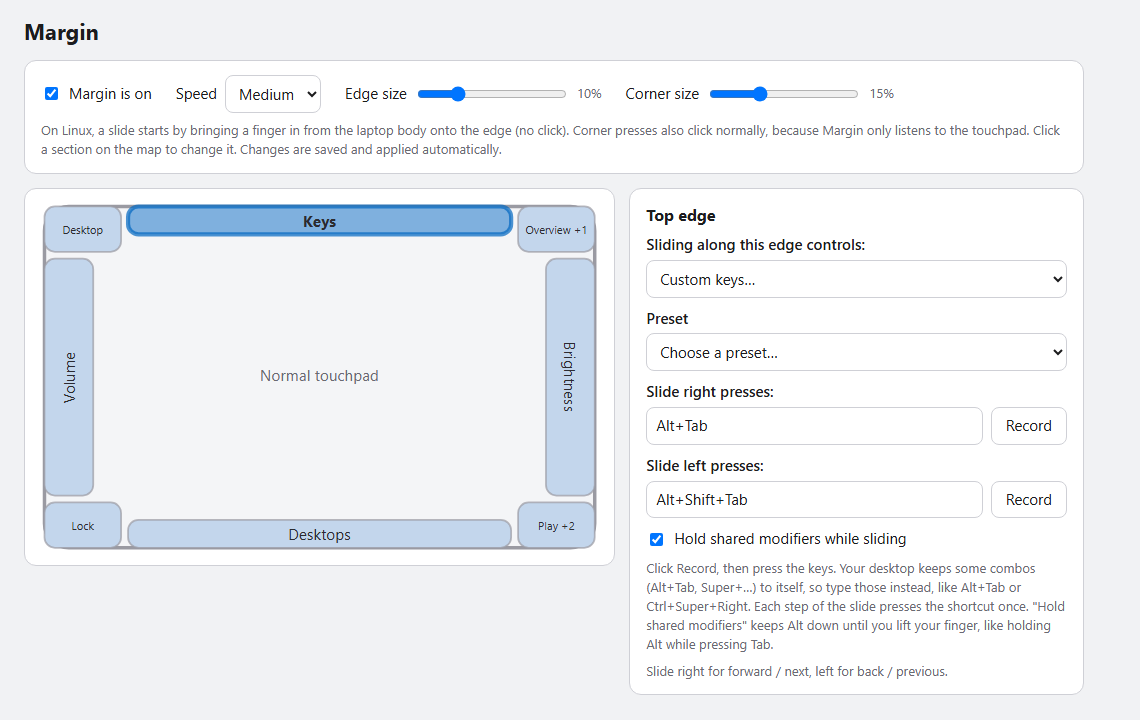
margin settings      # open the settings page (it prints a private link and opens your browser)
margin --diag        # run in a terminal and print every touch frame and gesture
margin config-path   # where settings.json lives (~/.config/margin/settings.json)
systemctl --user status margin
Requirements: a touchpad that your system handles as a multitouch device (nearly every modern laptop; old "semi-MT" Synaptics pads aren't supported), and systemd for the automatic start (otherwise run margin yourself).
#Permissions
Margin needs to read the touchpad (/dev/input/event*, group input) and create a virtual keyboard (/dev/uinput). The installer does this with one sudo step: it adds a udev rule that gives the input group access to /dev/uinput, loads the uinput module at boot, and adds you to the input group. Log out and back in once afterwards. To do it by hand:
sudo groupadd -f input && sudo usermod -aG input "$USER"
echo 'KERNEL=="uinput", MODE="0660", GROUP="input", OPTIONS+="static_node=uinput"' | sudo tee /etc/udev/rules.d/60-margin-uinput.rules
echo uinput | sudo tee /etc/modules-load.d/margin-uinput.conf
sudo modprobe uinput && sudo udevadm control --reload-rules && sudo udevadm trigger
Being in the
inputgroup lets any program you run read all your input devices, including the keyboard. Margin itself only opens devices that look like touchpads, and its code is small enough to check, but you should know what the group allows.
#What is different from Windows
| Windows | Linux | |
|---|---|---|
| Start a slide | slide in from the edge, or press and slide | slide in from the edge only |
| Pointer while sliding | frozen | still moves (Margin only listens to the touchpad) |
| Corner presses | hidden from other apps | the press also clicks, wherever the pointer is |
| Brightness and volume | exact steps, Margin's own on-screen display | media keys: your desktop sets the step and shows its own display |
| Fine steps (Ctrl+Shift) | yes | not yet |
| Switch virtual desktops | Ctrl+Win+Left/Right | Ctrl+Super+Left/Right; some desktops use other keys, so use Custom keys there |
| Settings | native window and tray icon | page in your browser, no tray icon |
#The settings page is private
margin settings only listens on 127.0.0.1 and every request needs a random key that is part of the link it prints, so other programs and web pages can't change your settings (they could otherwise add a "run a command" corner). Changes you make there are applied by the running program within a second.